Keylogger Software
✅ Advance Keylogger Software is designed for total monitoring of your PC. Works in stealth mode, the software completely satisfies your PC monitoring and surveillance needs. Computer tracking program is capable to work in hidden mode and cannot be located in Start menu, Add/remove programs, Installation folder and even no shortcut icon on Desktop. Utility runs in stealth mode and not even skilled computer professionals would find it running.
✅ Professional PC activity monitoring tool can be used by both Home and Corporate users to expose the truth. Software not only record keystroke details but also captures Windows screenshots, Clipboard activities, Voice Chat conversations, Application accessed and other possible activities on your PC. Easily records all activities in log file with option to receive logs either by emails or FTP settings as per defined by the user. Do you want to know what your Kids, Spouses, Employees are doing behind your back, Are they misusing internet for activities which they are not supposed to do. No need to worry! Use KeyLogger software to keep track of all keystroke details without being detected by the user being monitored.
➤ Easily capture typed texts including username, passwords, documents, emails composed, online chats (Yahoo Messenger, MSN Messenger, Gmail), website visited and other similar keyboard typing activities. Invisible Key logger Software runs silently in background and remains completely invisible from external user using your PC.
➤ With the key logger, you can easily detect keystroke activity details that took place in your absence at affordable price. One of the major factor responsible for software success is password protected functionality to restrict any external user from making any changes in the system configuration settings.
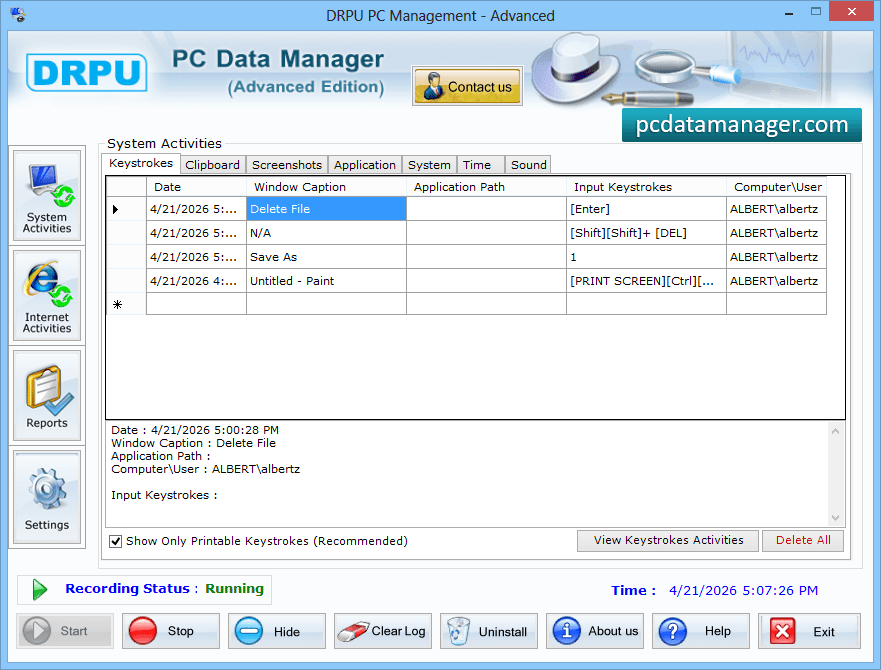
STEP 1 : System Activities
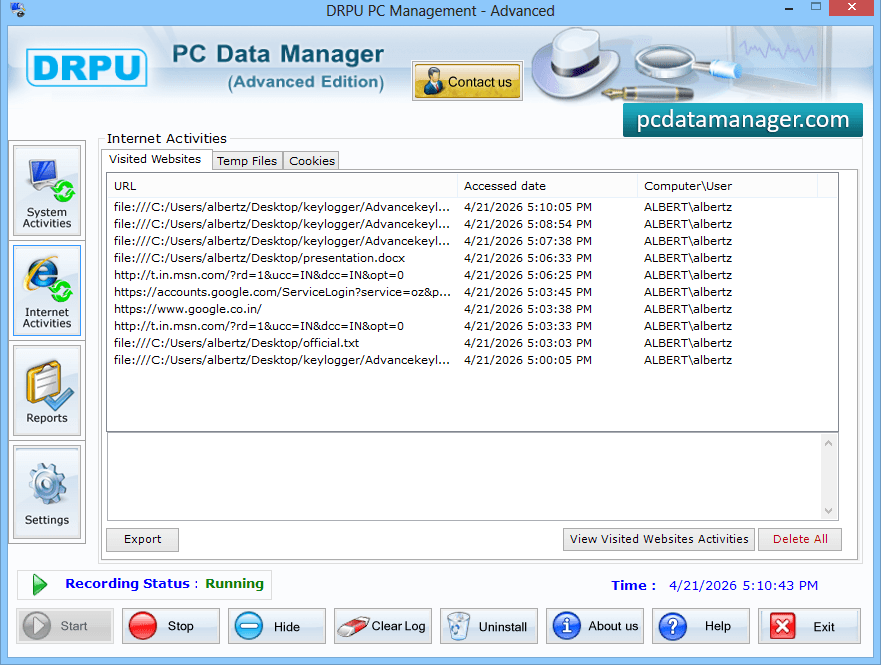
STEP 2 : Internet activities
STEP 3 : Reports
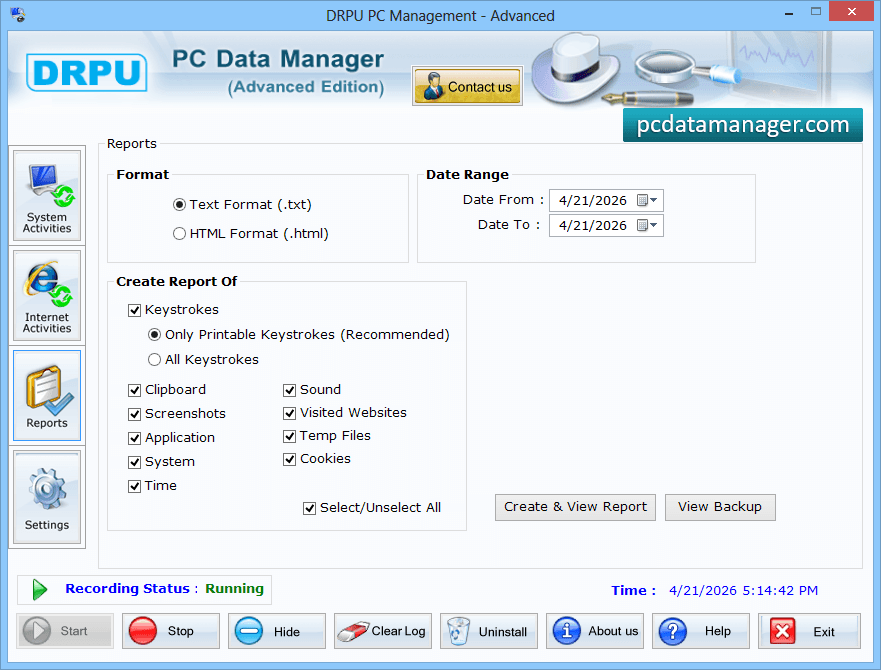
STEP 4 : Settings
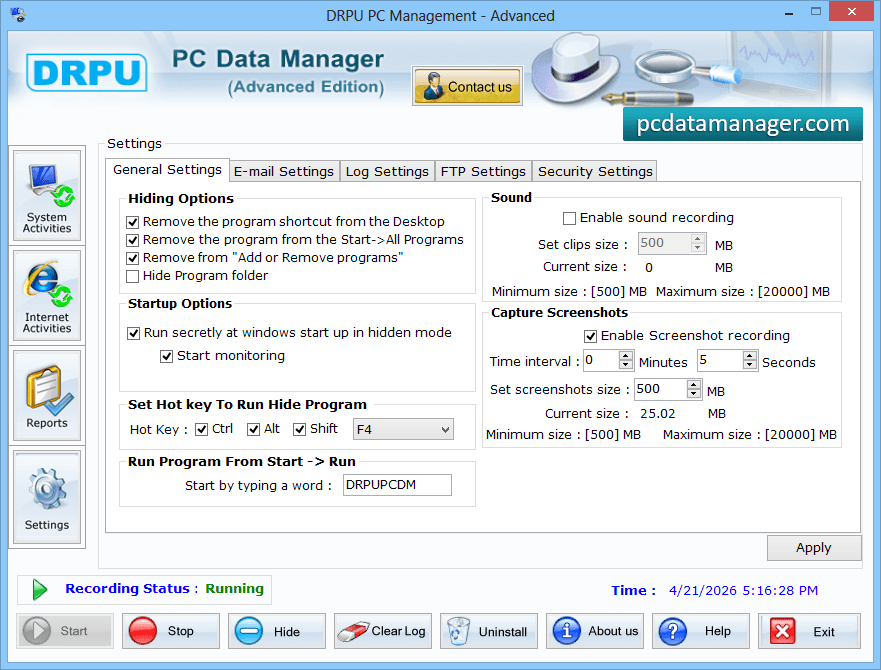
Finally, go to settings option to select options of General setting, E-mail settings, Log settings, FTP settings and Security settings to apply.
This chart explains the major difference between Keylogger Software and Advance Keylogger Software
| Monitoring Features | Keylogger Software | Advance Keylogger Software |
| Records typed Keystrokes (Passwords, characters, symbols etc...) |
 |
|
| Typed Online Chat details (Gmail, Yahoo messenger, AOL etc…) |
|
|
| Voice Chat Conversations |  |
|
| Composed Emails (Yahoomail, Rediffmail, Gmail etc…) |
|
|
| Records Visited Websites (Typed Web urls) |
|
|
| Records typed Documents (Word files, ppt, excel files etc…) |
|
|
| Records Clipboard entries (copy-paste activities) |
|
|
| Capture Screenshots (View slideshow of snapshots) |
|
|
| Records System logins (monitor windows user login activity) |
|
|
| Records System Sounds | |
|
| Security Features | ||
| Password Protected (User login feature) |
|
|
| Runs in Hidden mode | |
|
| Completely Undetectable (Add/remove list, Installation files and folders, System Startup etc…) |
|
|
| Hot keys and Run command settings (to access invisible software) |
|
|
| Reporting Features | ||
| Prepare Log report (Report in Text or Html file formats) |
|
|
| View Backup of Records | |
|
| Email log details (send log details at defied email ID) |
|
|
| FTP settings (Upload text log file using FTP server) |
|
|
| Minimum System Requirements | ||
| Processor- Pentium class or higher | |
|
| RAM- 512 MB RAM (recommended) | |
|
| Memory Space- 20 MB Free HDD | |
|
| Windows OS supported |
|
|
| Downloading and Purchase details | ||
| 30 Days FREE trial | |
|
| 24/7 technical support | |
|
| Order: | Order Now! | Order Now! |
MAC Log Manager (Keylogger software for Mac OS X)
✅ Mac OS X provides perfect method to monitor Computer activities of your Kids, Spouse and Employees in complete surveillance mode. Keylogger monitoring software for mac machines is easy to use system and internet monitoring utility which records Keystrokes details, Clipboard content, Application open and close, USB media insertion/removable activities, Internet activities and captures Screenshots (including Skype video screenshots) at regular interval of time on the Mac computer system. DRPU Mac OS X keylogger is capable to run in hidden mode and allows you to secretly record what other users are performing on Apple Macintosh machines in your absence. This safe and secure spyware for mac provides facility to set password so that unauthorized user can not access the mac keylogger software settings. Highly user interactive Mac OS X keylogger application generates the report of log in HTML file format so that you can view overall computer activities of the external user.
STEP 1 : Start Monitoring
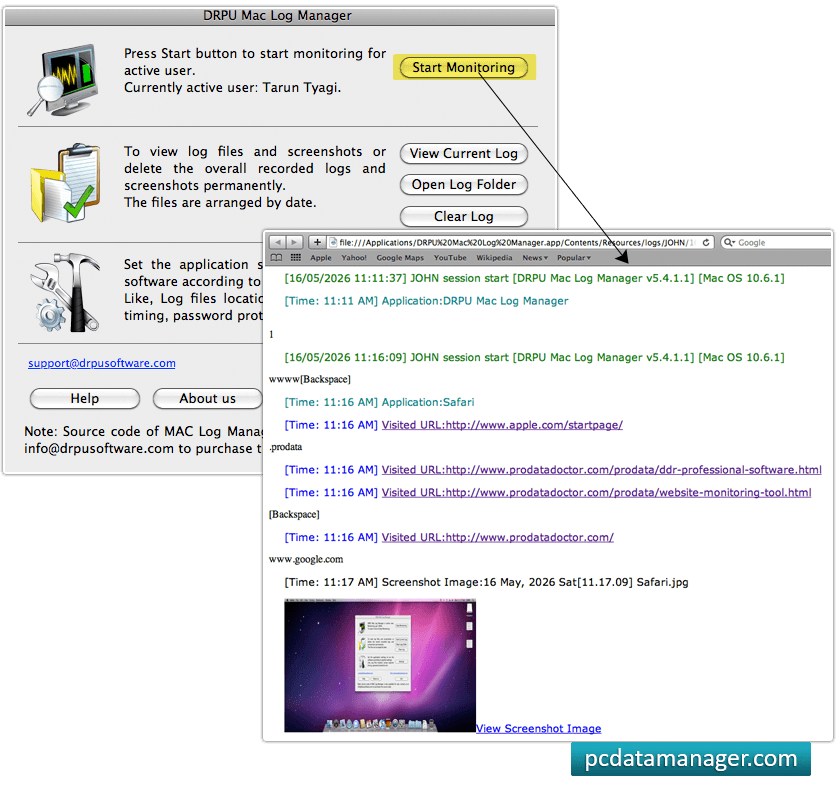
STEP 2 : Select General option
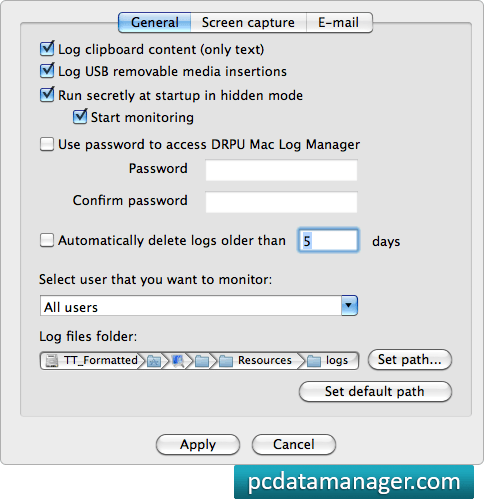
STEP 3 : Screen Capture
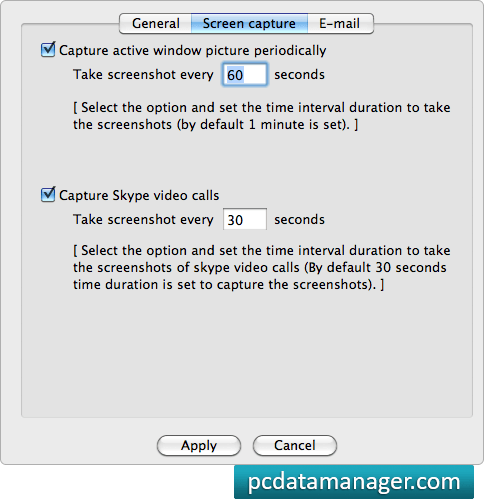
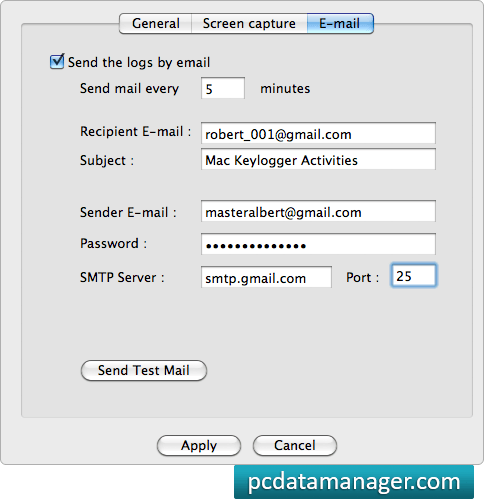
STEP 4 : E-mail